

There was a time when I often wondered about that very question.
You see, I have gone through many, many organization systems through the various stages of my life. For most of that time, I felt that the current system was a slightly off fit for me. I felt that somehow it could’ve always been better or that I could find a new revolutionary way to do things. Now, that may have been a bit of my time management issues talking (that I have been able to make great strides in improving, mind you!) But knowing what I know now, I would like to try my best to walk you through some of the most popular systems and attempt to help you find the best one for you.
The key word here, is attempt. I’m afraid I don’t have a magic answer for you. The tough truth is that you will have to try any system for a few months at least to really get a feel for it and know if it is right for you. If it doesn’t end up fitting then you have to move onto the next one, and then the next one, and so on until you find what is right for you. So with that in mind, I do want to advise you to be open to experimentation and “breaking the rules” in order to make each new system you try more informative. You should aim to understand what you like and dislike about each system you try. See what works and what could be improved. Then use that information to better inform your choices for your next system. Keep in mind that one of those choices, may be to alter the current system you are using. Change the uses for the premade boxes in your planner to fit your needs. Add things, ignore or remove other things. There are no rules here. Don’t worry about “ruining” a planner or notebook.
The way I see it, there are three main categories in the world of planning systems. There is the premade paper planners and calendars. There are the digital planners and calendars. And finally, there is the use of blank notebooks to create the planning system for yourself. Under each category there are a butt-ton of different versions and options for you to choose from. So lets go category by category and talk about it.
Premade Paper Planning
These sorts of planners were my first exposure to planning, as I sure they are also for many others out there. My school starting giving us these to use every year starting in first grade. Ours looked a little something like this:
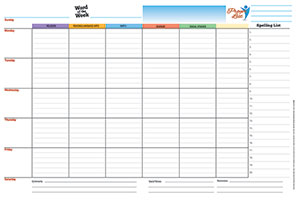
These planners sorted by school subject on top and day of the week going down. In each box, you would jot down what homework (if any) was assigned for that class each day. It also included a blank column for personal notes or not-class-specific reminders. I used these things from first grade all the way into ninth grade. So it is safe to say that I have some experience.
However, these sort of premade planners come in so many configurations. I tried quite a few before moving on to different systems later in high school. You can get ones that are daily planners. In these there will be a new page for each new day. It includes some spaces to fill in and usually some hourly planning areas. You can get planners that let you plan by week. These will show you a full seven day week at a glance with multiple spaces to input what you need. Here is a common example of a weekly planner:
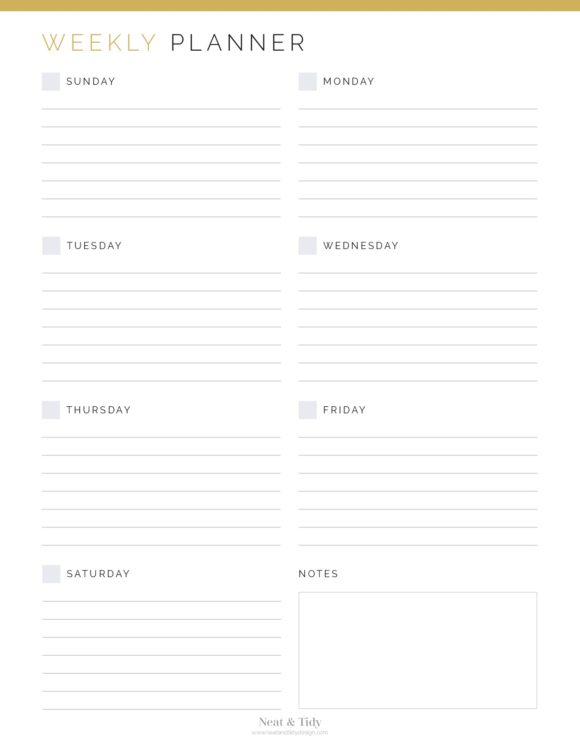
These sorts of premade “fill in the blank” planners can be perfect for busy people. They are very easy to pull out and quickly jot things down unto. They don’t require extra set up either. Additionally, a physical medium is great if you, like me, feel like you remember things better when you hand-write them. However, I always ran into the problem of them being too rigid. Often, I would run out of space in the boxes. I had too many tasks, notes, and reminders to fit. But other days, the boxes would be nearly blank. I felt like there was a lot of wasted space and some unnecessary boxes. I wanted something that could change with me when I needed it. This is the reason why I eventually switched systems. But if none of that sounds like a problem to you, then you should try premade planners!
Digital Planners and Calendars
Unfortunately, this is a world that I never fully explored. As I said, the physicality of the notebooks has always been better at helping me remember things so I stuck with it. Plus, I was fully indoctrinated into the notebook planner world before I even had a phone or computer to use these tools. But I still think about these digital options from time to time because of how powerful and versatile they can be.
The seemingly endless sea of applications at your fingertips allows you to set up nearly any system your heart can dream of. They can integrate your daily tasks and your full calendar seamlessly into a single application. You can even go as far as to plan every hour of your day and send yourself reminders on your devices about upcoming things. Popular applications I hear people swear by include:
- Notion
- Google Calendar (or Apple Calendar)
- Todoist
- Sunsama
Because each app can be so different and customizable, I cannot give as much general advice for this section. However, this may not be the option for you if you are the type to get distracted with customization options (You know, the type who ends up spending more time setting up a perfect plan in a spread sheet and not enough time actually executing it.) The versatility of these apps is what would be their downfall for you. You can change every little thing about it and you can try thousands of free apps. In short, you can fiddle with it forever. If that would impede your productivity, be wary of digital planners like these. Additionally, if you are the type of person who doesn’t have a lot of extra time to mess with a planner or just wants a simple experience, many of these apps will not work for you.
Planning on your own with a simple notebook (and a few important words about Bullet Journaling)
This is the method I currently use for my personal planning. I find it to be wonderful. When you have a planning method that works, it is like a weight off of your shoulders. As it turns out, a simple notebook keeps up with me better than any other method I have tried. It makes sense, because after all, I am custom making it for me from scratch.
But that custom made quality is what can make this option a hard one for people to commit to. If you don’t have the time or simply don’t want to do it, then you won’t have a planner at all. This is a system that requires more effort and upkeep. Here is my current process:
Every week, I use two pages. On the first page, I create a weekly view (similar to what I showed in the premade section earlier). I keep this very simple. Just eight equally sized boxes. One for each day of the week and one extra for notes and reminders pertaining to the whole week or caring over to the next week. I then fill it in with whatever I have going on that week. Then the second page is kept blank and added to over the week. I like to create a list each morning of what I need to do on that day. Then I cross things off when I’m done. Anything I missed will still be on the page which reminds me to reschedule them or add them to the next day’s list. On that page I can also make random notes, reminders, and otherwise jot down anything that I ever need. Then at the end of the week, I turn to new pages and make my planner for the next week.
I also make a calendar section at the start of the year and fill it in with whatever long term dates I have. Then it is further filled in as I need it. I then reference this calendar when I am making my weekly pages.
In this way, I have everything all in one place. I am never searching around for notes or second-guessing. It is almost like a second brain. All it takes me is a little time, a ruler, and a pencil.
But I didn’t come up with all of that on my own. In fact, I actually took inspiration from the bullet journaling method. That is, the original bullet journaling method, not the one you may be thinking of.
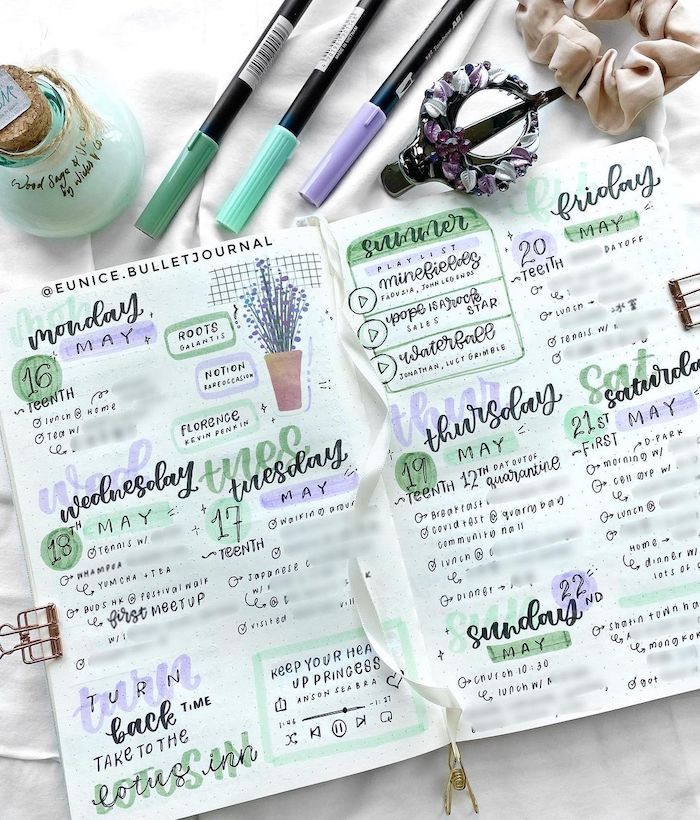
These days, bullet journaling has become popular as less of an organization tool and more of an art project. These influencers create large impressive spreads. The decorate everything. They put paintings, calligraphy, washi tape, and just about everything else inside of them. It is almost like a scrapbook.
This is not bad on its own, but when normal people try to replicate the perfect pages they see online, the get overwhelmed. I have seen that more often than not, people to try to do bullet journaling and organization just like the influencers that they see on the internet. They don’t realize the hours that were put into creating and decorating that page in order to make it pretty for Instagram. They get discouraged that their pages aren’t as gorgeous. They get overwhelmed by the time commitment. As a result, they quit bullet journaling without ever realizing the original point of the system.
Artistic expression is a great thing, but this version of bullet journaling can cause people to loose sight of the most important part: the organization. Believe it or not, this is what bullet journaling looked like when it was introduced:
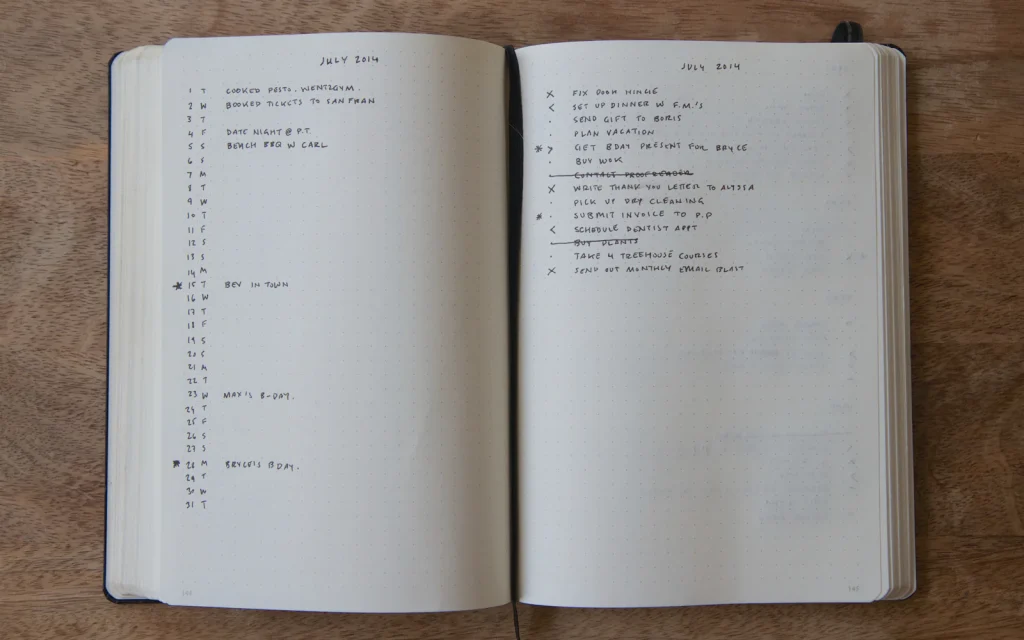
It was all about simplicity. This was a system originally created by Ryder Carroll. It was a simple way to track events, habits, tasks, and appointments all in one place. It is supposed to be easy, simple, and even a little sloppy. That simplicity is even where the name came from. It is called Bullet Journaling after the simple bullet points that were the hallmark of the original system. The idea is “better rough, than undone.” It is supposed to be a customizable and modular way to empty our brain and organize our priorities.
This is the spirt I took with me as I endeavored to change and recreate this system to work the best for me. Whenever I need to add something new or change something, I can. Opportunities are nearly endless with a blank page.
This is most certainly the hardest road when it comes to organization. It takes work and thought out of you. But in my opinion, it is very fulfilling.
Think about these systems, decide which you think would work the best for you individually. I wish you good luck on your journey!
– Emma Doyle